What to Do if TM SIM Registration Page Keeps Timing Out
Trying to register your TM SIM but the registration page keeps timing out, freezing, or not loading? You’re not alone. Many users experience this, especially when many people try to register at the same time or when the internet connection is weak. The good news is, most of these problems have easy fixes so you can complete your registration without stress. The SIM registration is required under the SIM Registration Act in the Philippines, and your SIM won’t work for calls, texts, or data until it’s successfully registered.
Here’s how to fix registration delays and page time‑outs so you can get it done fast.
Why the TM SIM Registration Page Keeps Timing Out
Before we dive into the solutions, let’s quickly understand the common causes:
Too Many Users at Once
When many people try to register at the same time, the system can slow down or freeze. This often happens during peak hours or near deadlines for registration
Weak or Unstable Internet Connection
Slow data or weak Wi‑Fi can interrupt the connection and make the page time out
Browser or App Glitches
The browser or app you’re using might have cached data, bugs, or outdated files that interfere with the registration process
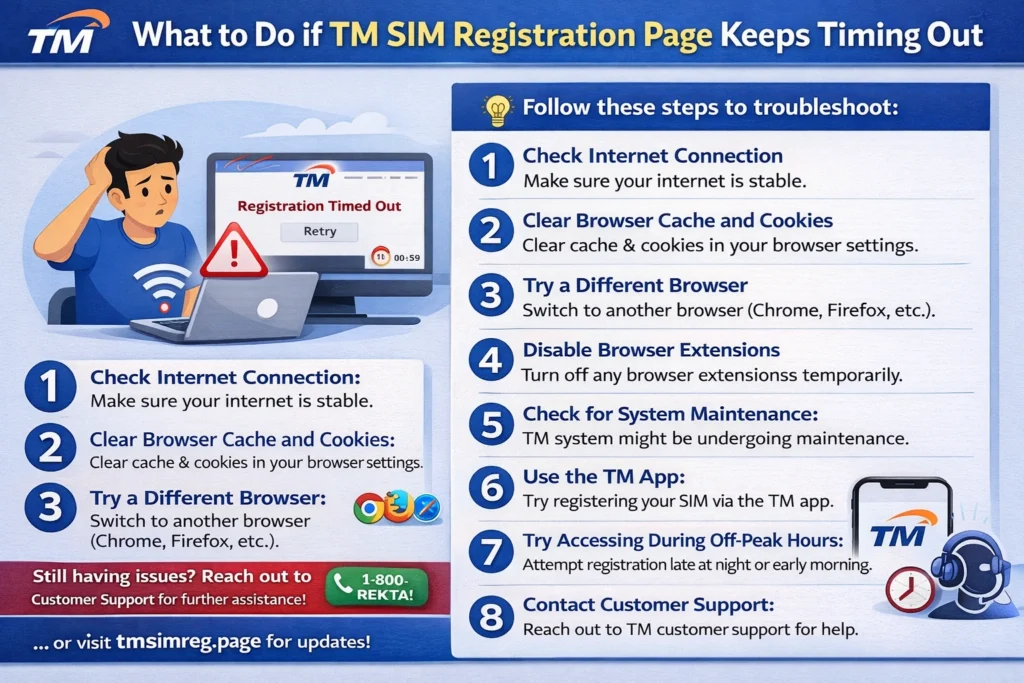
Easy Fixes When the Registration Page Times Out
Here are simple steps you can take right now:
1. Try Again at a Less Busy Time
If the page is slow or timing out, try once more during early morning or late evening. Fewer users online can mean faster loading and smoother registration.
Tip: Weekday mornings or late nights often work best because the system isn’t as busy then.
heck Your Internet or Network Signal
A shaky connection is one of the most common causes of time‑outs.
These simple steps can help the registration page load faster and stay stable.You can also read:How to Troubleshoot TM SIM Registration Failures
Clear Cache or Try Another Browser
If you’re using your phone browser:
Clear the browser’s cache and history
Try registering in a different browser (like Chrome, Firefox, or Safari)
Or use incognito/private mode
If you’re using an app, make sure it’s updated.
Sometimes all you need is a fresh start for the browser to connect properly.
Restart and Try Again
A simple phone restart can clear temporary glitches and give you a better start when loading the registration page again.
a Different Device if Needed
If your phone keeps freezing, try registering on a different phone, tablet, or laptop. Sometimes, the registration page works better on a different device or screen size.
Visit a TM or Globe Store for Help
If none of the tech fixes work, the quickest solution might be to go in person. Globe or TM store staff can help you complete registration quickly without dealing with time‑outs online.
Tips to Avoid Waiting and Time‑outs
Here are some extra friendly tips:
What Happens If You Can’t Finish Registration?
If you don’t complete your TM SIM registration, your SIM might get deactivated and you won’t be able to make calls, send texts, or use data. That’s why getting it done quickly and correctly matters.
FAQ’s
Final Words
While TM SIM registration time‑outs can be frustrating, most of the issues are easily solvable with a few simple fixes. Whether it’s a busy registration portal, slow internet, or a browser glitch, you have plenty of options to speed things up. By following these tips, you can get your registration done without long waits or interruptions.
If you still encounter issues, don’t hesitate to visit a store for assistance. Remember, completing your SIM registration is important to keep your number active and avoid service interruptions. Stay calm, try these fixes, and you’ll be set in no time!