
How to Troubleshoot TM SIM Registration Failures
Trying to register your TM SIM but the process keeps failing, showing errors, or letting you get stuck? You’re definitely not alone — this happens to many people. The good news is, most registration failures happen for simple reasons and can be fixed with a few easy steps.
TM SIM registration is required in the Philippines under the SIM Registration Act, and your SIM won’t work for calls, texts, or mobile data unless it’s successfully registered.
Let’s go through the most common causes of registration failures and how you can fix them quickly.
Check Your Personal Information Carefully
One of the biggest reasons registrations fail is simple typos or incorrect details. If your name, birthday, address, or ID information doesn’t exactly match what’s on your government‑issued ID, the system may reject the submission.
Quick Fix:
Type your details slowly and check every field before submitting.
Copy information directly from your ID to reduce mistakes.
Tip: Even a small spelling error in your name can cause failure, so double‑check before sending anything.You can also read:Avoid These Common TM SIM Registration Mistakes
Make Sure Your ID Photos Are Clear
TM SIM registration usually asks you to upload a photo of your ID and a selfie. If the photos are blurry, dark, sideways, or not readable, the system could reject them.
Quick Fix:
Take your ID photo in a well‑lit place
Avoid shadows or glare on the ID
Make sure your selfie clearly shows your face with no hats or sunglasses
Tip: Plain backgrounds and strong lighting make a big difference.
Check Your Internet Connection and Signal
A weak internet connection can cause the registration process to fail midway, or stop the upload of your details altogether. Poor mobile signal can also affect receiving the verification code (OTP).
Quick Fix:
Switch to a strong Wi‑Fi connection
Make sure your TM SIM has good signal strength
Try again in a different location with better coverage
Tip: If your SIM isn’t properly inserted, you might not get the OTP — so check that first.
Try Restarting Your Phone and Using a Different Browser
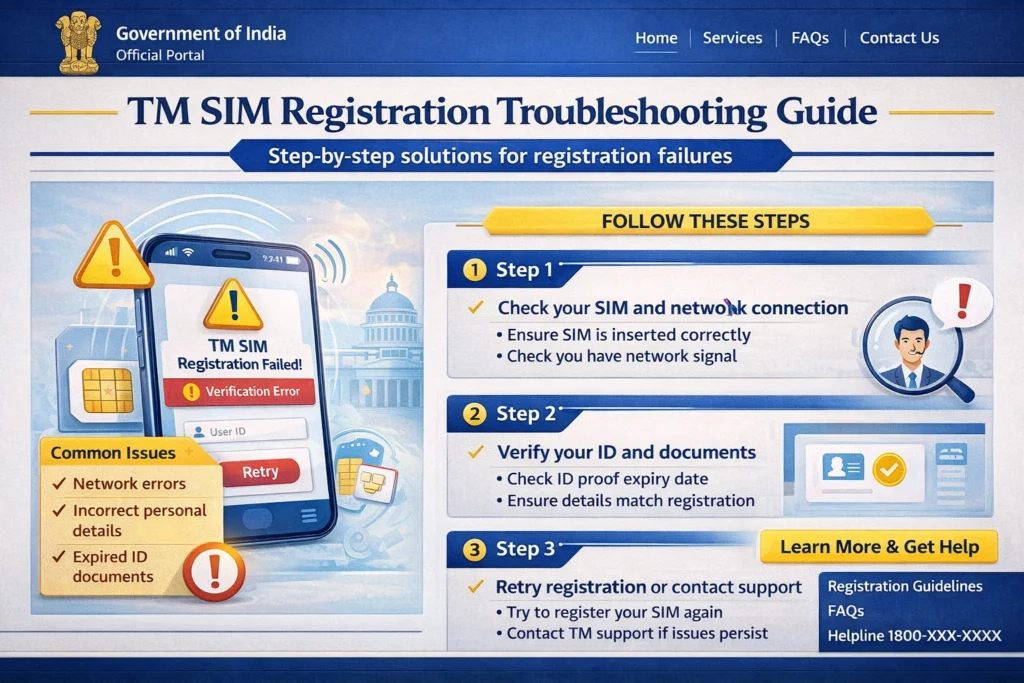
Sometimes the issue isn’t with your SIM or info — it’s with the app or browser you’re using. If your registration keeps failing:
Quick Fix:
Restart your phone.
Clear your browser’s cache or try a different browser
Try using incognito or private mode
Tip: If one device keeps failing, try registering from another phone or a computer.
Things to Try If the System Shows Errors
Here are some common errors people report and how to fix them:
Error: Number Already Registered or Blocked
Sometimes a new SIM shows an error saying your number is already linked to an account. This can happen if the SIM was previously used or recycled.
Fix: Call TM’s toll‑free support (808 from your TM SIM) and ask them to help clear it or reset the SIM so you can register.
Error: Not Receiving OTP (Verification Code)
If you don’t get the OTP, it could be a signal issue or your phone blocking messages.
Fix:
Restart your phone
Switch SIMs between phones
Make sure the SIM is active and has good signal
When to Get Help from TM or Visit a Store
If none of these tips work and registration keeps failing, don’t worry — you still have options.
Tip: Taking a screenshot of the error message can help customer support diagnose the issue faster.
Extra Tips to Avoid Registration Failure
Here are a few quick tips that help make registration go smoothly:
FAQ’s
Final Words
TM SIM registration failures can be annoying, but they’re usually caused by small issues like incorrect info, unclear photos, or weak internet. By carefully checking each step and trying the fixes above, you’ll likely be able to register your SIM successfully without much stress.
If the problem still won’t go away, don’t hesitate to get help from a TM or Globe store or contact customer support — they’re there to make sure your SIM works and stays active


