TM SIM Registration ID Rejected Fix
If your TM SIM registration says your ID was rejected, do not panic. In most cases, the problem is not your TM number. It is usually the ID photo, the ID type, the file size, or the way your details were entered in the form. Globe says TM users can register through the official online registration page or the GlobeOne app, and it requires a valid government-issued photo ID that is not expired.
Quick answer
The fastest fix is simple: use a valid, unexpired government ID, make sure the photo is clear and readable, keep the image under 4 MB, and check that your name and details match the ID exactly. Globe also says PVC-type IDs are recommended because paper-type IDs or IDs with printed photos may not be accepted.You can also read:TM SIM No Signal After Registration Fix
Why your TM SIM registration ID gets rejected
One common reason is that the ID is expired or not on Globe’s accepted list. Globe says the ID must be a valid government-issued photo ID and must not be expired. It also lists accepted IDs such as passport, Philippine ID, SSS ID, GSIS e-Card, driver’s license, police clearance, PRC ID, IBP ID, OWWA ID, BIR ID, voter’s ID, senior citizen card, UMID, and PWD card.
Another common reason is the type of ID itself. Globe specifically recommends a PVC-type ID for smoother registration and says paper-type IDs or IDs with printed photos may not be accepted. That is a big clue, and many ranking pages miss it. If you keep uploading a paper ID, the system may reject it even if your information is correct.
The photo can also be the problem. Globe’s registration guide says you need to upload your government ID and selfie, and it notes that images should not exceed 4 MB. If the picture is blurry, cropped badly, too dark, too bright, or too large, it can fail even before the system reads it properly.
A mismatch in details can also trigger rejection. If the name, birthday, or other details in the form do not line up with the ID, the registration may not go through cleanly. Some ranking pages mention this, but usually only in one short line.
The fastest fixes that usually work
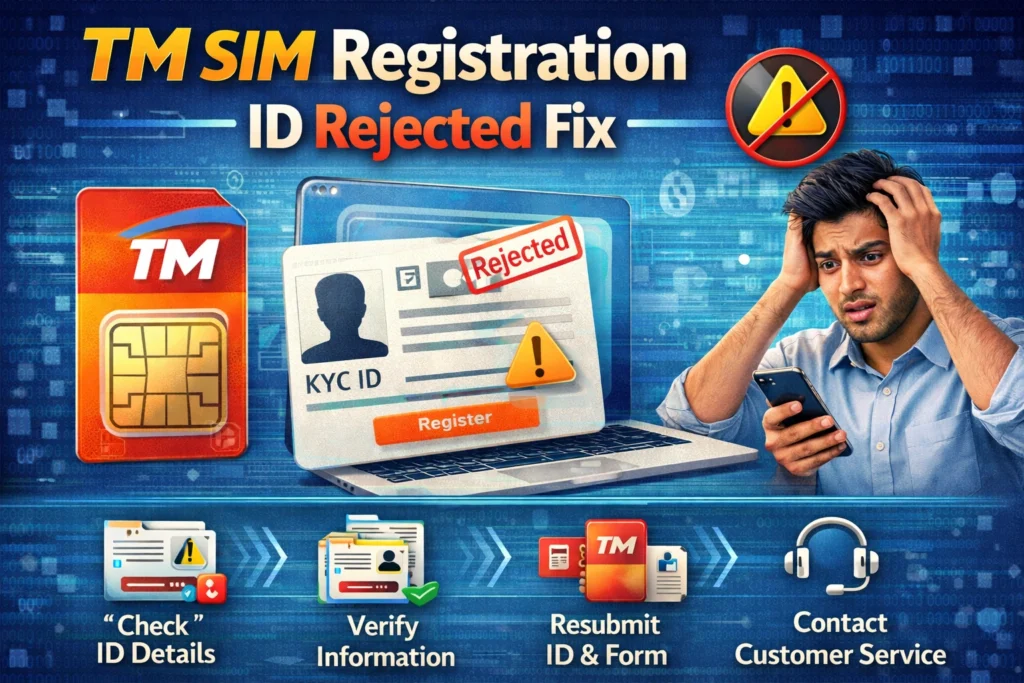
Use a different valid ID if possible. If you first used a paper ID, switch to a PVC government ID. Globe itself says this helps avoid delays and rejection.
Retake the ID photo in bright, even light. Make sure all text is readable, the whole card is inside the frame, and nothing is cut off. Then check the file size before uploading. Globe says the image should not be more than 4 MB.
Match your form details exactly to the ID. Use your full legal name, not a nickname or shortcut. If your ID shows a middle name or suffix, be careful when typing it. Third-party troubleshooting pages that rank for this topic often mention mismatched details as a common cause of rejection, and that lines up with how ID verification usually works.
Retake your selfie too. Globe requires both the ID and selfie in the registration flow, so sometimes the issue may look like an ID problem even when the selfie quality is poor.
Step-by-step fix for a rejected TM ID
First, go back to the official TM/Globe registration route, either the official online registration page or the GlobeOne app. Globe says both are official ways to register TM SIMs.
Second, check your ID before taking a new picture. Make sure it is still valid, not expired, and preferably PVC-type. If your first choice was a paper ID or something with a printed photo, switch to a stronger ID from Globe’s accepted list.
Third, retake the image carefully. Place the ID on a flat surface, use good lighting, avoid shadows, and keep the camera steady. Do not zoom too much, and do not crop out the corners. Then make sure the file stays under Globe’s 4 MB limit.
Fourth, fill out the form again and compare every field with the ID before you submit. Globe’s SIM registration flow asks for your name, birthday, gender, address, and nationality, so this is the moment to catch spelling mistakes before they trigger another rejection.
Fifth, save your reference number after submission. Globe says a reference number appears once registration is completed, and you should keep it as proof.
What if your valid ID still gets rejected?
If your ID is valid and clear but the site still rejects it, try the GlobeOne app if you were using the web portal first. Globe officially supports both registration paths for TM users.
If the GlobeOne app is acting up, Globe says to check for updates, use a stable internet connection, close and reopen the app, or try again later. Those steps are meant for app issues, but they are also useful when registration gets stuck for technical reasons.
If you still cannot get past the rejection, use Globe’s official support route inside GlobeOne. Globe says the app has a Help section and can redirect you to its official Facebook Messenger support for further assistance.
A few mistakes to avoid
Do not use an expired ID. Globe clearly says the ID must not be expired.
Do not upload huge images. Globe says the uploaded images should not exceed 4 MB.
Do not assume paper IDs will work smoothly. Globe recommends PVC-type IDs and warns that paper-type IDs or IDs with printed photos may not be accepted.
Do not rush the OTP step either. Globe says the OTP expires in five minutes, so if you delay too much, the process may fail before you even reach the ID review properly.
Why this version is stronger than most ranking pages
A lot of ranking pages on this topic stay very general. They usually say things like “retake the ID photo,” “check your details,” or “try again later.” Some mention that wrong info or blurry uploads can cause problems, but they often skip Globe’s more useful clues, especially the 4 MB image limit and the recommendation to use PVC-type IDs because paper IDs may not be accepted. That is the kind of detail that actually helps users solve the problem faster.
Google’s current guidance also supports this approach. Google says its systems aim to reward helpful, reliable, people-first content, and that the same SEO best practices still apply for AI features like AI Overviews and AI Mode. It also says to use the words people search for in important places like the title and main heading.
FAQ’s
Final Words
If your TM SIM registration ID was rejected, the fix is usually easier than it looks. Start with the basics: use a valid unexpired government ID, choose a PVC-type ID if you can, retake the photo clearly, keep the file under 4 MB, and make sure every detail matches the ID exactly. If the web portal still gives you trouble, switch to the GlobeOne app or contact