TM SIM Registration Scam Link Warning 2026
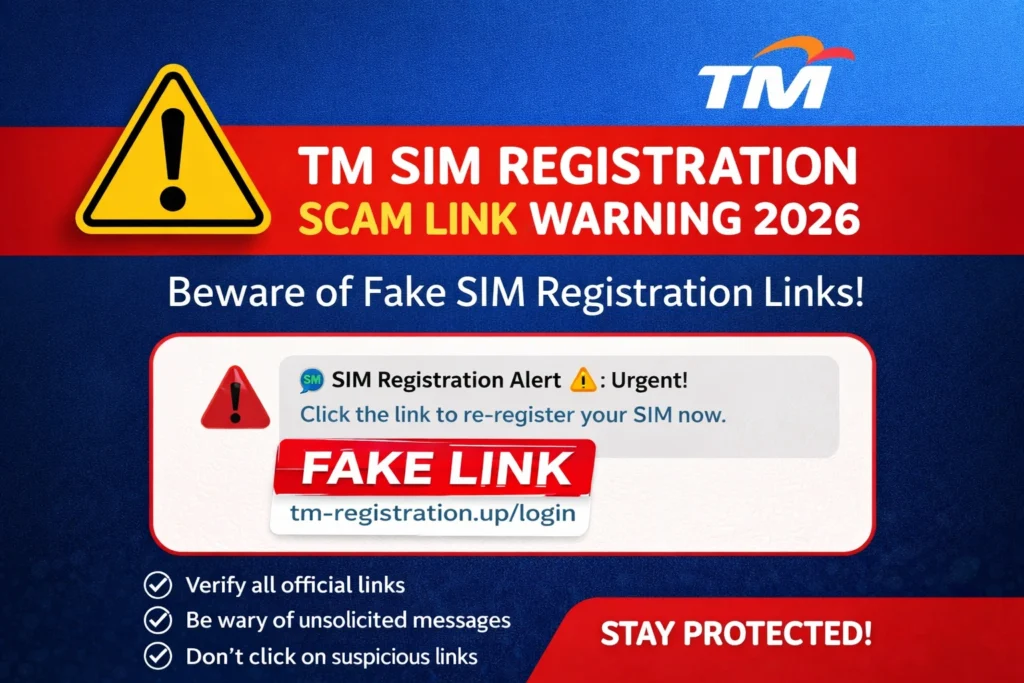
If you get a message telling you to click a link to “register your TM SIM now,” stop and check it first. Globe says fake SIM registration links are being spread online to trick people into sharing sensitive information, and it says the only official ways to register a new TM or Globe SIM are through Globe’s official SIM registration site or the GlobeOne app.
That is the biggest safety tip for 2026: do not trust random TM registration links from text messages, Facebook posts, blogs, or comment sections. Globe’s own anti-scam page goes even further and says that if you receive a text message with a link, it did not come from Globe.
Quick answer
A real TM SIM registration should only happen through Globe’s official registration platform or the GlobeOne app. Globe warns that other sites pretending to be SIM registration portals are fraudulent and dangerous, and it also says registration is free.
Why fake TM SIM registration links are dangerous
Fake registration links are not just annoying. Globe says these links can lead to malicious sites built to trick users into giving away personal information. In its 2024 warning, Globe said fraudsters were spreading fake links on social media and sending users to ad-filled blogs or fake pages pretending to help with registration.
This matters because real TM SIM registration asks for personal data and a valid government ID. Globe’s help page says the process involves your full name, birth date, gender, address, and a valid government-issued photo ID. If you type that into a fake page, you may hand over enough information for identity theft or other fraud.You can also read: TM SIM Registration FAQs for New Users 2026
What is the official TM SIM registration method?
For TM users, Globe’s current help page says registration should be done through its online registration page or the GlobeOne app. Globe repeats the same message in its fake-link warning and says those are the only official platforms for new SIM registration.
Another helpful clue is that Globe says its official online registration is free and zero-rated. So if a person, page, or shop asks for money to “process” your TM SIM registration, that is a major red flag.
Signs a TM SIM registration link is fake
Here are the warning signs Globe itself points out.
Globe says it does not send text messages with links. Its anti-scam page says that if you receive a text message with a link, it did not come from Globe.
Globe says scam messages often push urgency. Its anti-scam page warns about messages that scare you into acting fast or tell you that you will lose points or benefits if you do not click immediately.
Globe specifically lists this as a suspicious message pattern. On its stop-spam page, Globe says a message can be suspicious if it claims your SIM is expiring today and asks for personal information for registration.
This is one of the trickiest scams. Globe says suspicious messages can appear in the same thread as official “GLOBE,” “TM,” or “8080” senders, even though the content is fake.
Globe warns customers not to use third-party paid registration services. It says registration is free and that paid “assistance” offers can be a way to steal personal data.
What a real TM SIM registration looks like
A real TM SIM registration follows Globe’s own process. On its SIM registration guide, Globe says prepaid users go to the official registration website, enter their mobile number, receive an OTP, fill in their details, take a selfie, upload a government ID, and then get a reference number after submission.
That means a real registration should feel like a secure process, not a rushed message asking you to click an odd link and type private information immediately. Globe also says it has added protections such as encryption, live photo capture, and OCR-based document verification to its official registration channels.
What to do if you clicked a fake TM registration link
If you only clicked the link but did not enter anything, close the page and do not continue. Then go directly to Globe’s official channels if you still need to register your SIM. Globe’s help page says TM users should use the official registration page or GlobeOne app only.
If you entered personal details, OTPs, or ID information, Globe says to act fast. Its anti-scam page says you should report the scam immediately, secure your accounts, update PINs and passwords on your financial accounts, and verify anything uncertain directly with your bank or telco.
How to report a fake TM SIM registration message
Globe’s stop-spam page says suspicious scam or spam messages can be reported to Globe through its StopSpam page or through the GlobeOne app. The same page also points users to the NTC’s spam reporting page.
Globe’s reporting flow asks for screenshots that show the sender number or caller ID, timestamp, full message, your Globe or TM number that received it, and the suspicious link if there is one.
Can you get help safely if you are not tech-savvy?
Yes. Globe says users who need help should use a trusted friend or relative or go to a Globe Store for support. That is much safer than giving your details to a random online page or someone charging a fee for “SIM registration help.”
This is especially helpful for parents, senior citizens, or first-time users who may feel nervous about uploading IDs or checking OTPs.
Simple safety tips for TM users in 2026
Use only Globe’s official SIM registration site or the GlobeOne app. Globe says any other site pretending to be a registration portal is fraudulent and dangerous.
Never share your OTP, passwords, bank details, or full personal information because of a text message. Globe says scam messages often ask for exactly those details.
Do not trust messages just because they look official. Globe says spoofed messages can appear in the same thread as “GLOBE,” “TM,” or “8080.”
Do not pay for TM SIM registration. Globe says the process is free.
FAQ’s
Final Words
The safest rule for TM SIM Registration Scam Link Warning 2026 is very simple: if the link did not come from Globe’s official registration page or the GlobeOne app, do not trust it. Globe says fake SIM registration links are used to steal sensitive information, and it also says real registration is free and should only happen on official channels.
A lot of scam messages try to win by making people panic. So slow down, do not click fast, do not share your OTP, and report suspicious messages right away. That one habit can save your personal data, your money, and your mobile number