
Change Name on TM SIM Registration — Easy 2026 Guide
If your TM SIM is registered under the wrong name — maybe it was bought by someone else, given to you, or the name was entered incorrectly — you’ll want to update the registration so it’s in your name. You can do this, but it’s not something you can just edit online by yourself in most cases. Instead, you’ll need to transfer the SIM ownership officially or update the registration with proof. Here’s how.
Can You Simply Edit Your Registered Name?
No — you can’t just log in and change the registered name by typing a new one. TM (through Globe) doesn’t allow direct edits online like that because of security and to prevent fraud.
However, you can update the name through a SIM ownership transfer process or by reporting and updating your personal details with the help of TM/Globe support.
Why Changing the Registered Name Matters
Keeping your SIM registered under the correct name is important because:
It protects your number from being used by someone else.
You can receive OTPs (one‑time passwords) for bank accounts and apps.
It makes it easier to replace or recover your SIM in the future.
The law requires accurate information under the SIM Registration Act (Republic Act No. 11934).
Step‑by‑Step: How to Change the Name on Your TM SIM Registration
Here’s the friendly, easy way to handle it:
1. Confirm the Current Registered Name
First, find out what name your SIM is currently registered under:
Prepare Required IDs for Both People
If the SIM is in someone else’s name, both of you will need valid IDs for the ownership transfer:
For the current owner and new owner:
Government‑issued photo ID (like passport, driver’s license, national ID)
Original and photocopy
The TM SIM card itself
This helps TM verify identities and approve the change
Go to a TM/Globe Store Together
The most reliable way to change the name is in person:
The staff will verify your identities and process the transfer. This is usually the easiest and fastest method.You can also read: How to Retrieve OTP from Your TM SIM Modem Easily
Complete Identity Verification
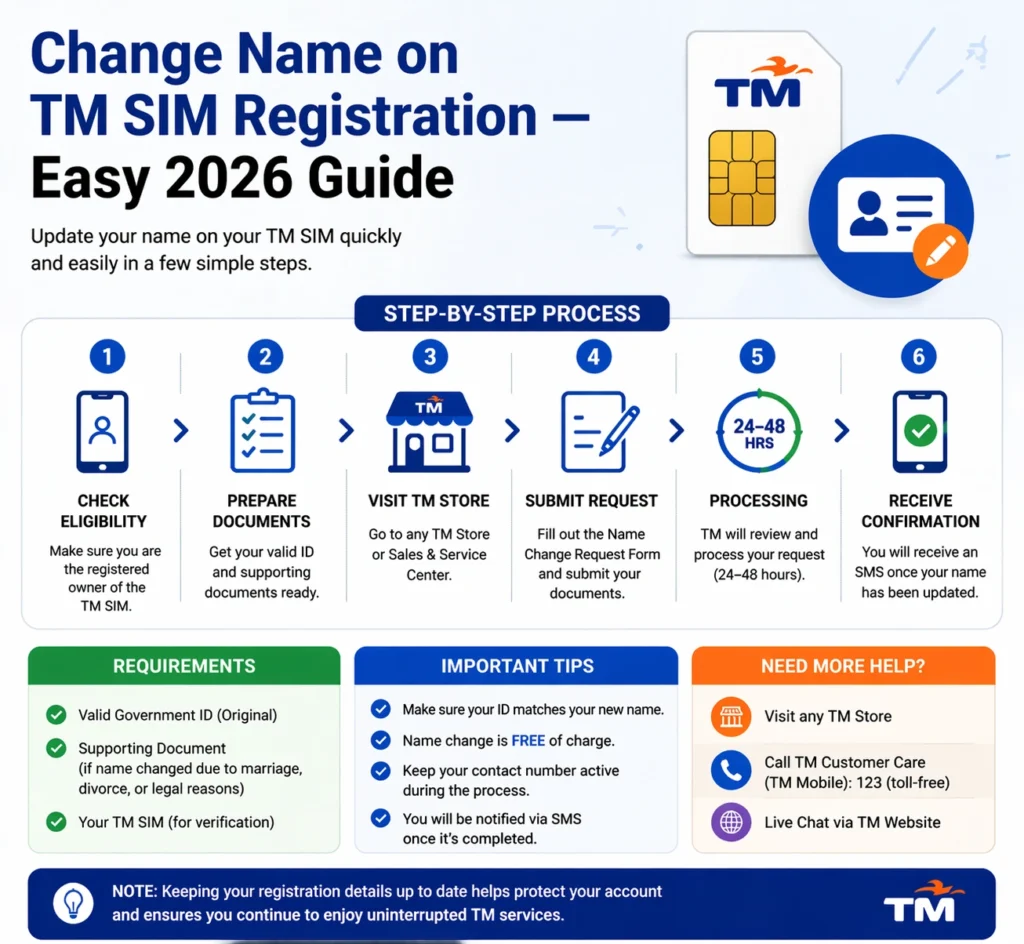
Expect the store staff to:
Wait for Update Confirmation
After the process:
Globe will update the SIM registration to the new owner’s name.
Globe will update the SIM registration to the new owner’s name.
After confirmation, restart your phone and optionally check the name again by sending SIM REG to 8080.
What If the Current Owner Isn’t Available?
If you can’t contact the current owner (for example, if the SIM was bought second‑hand):
Tips for a Smooth Name Change
Here are some helpful tips to make the process easier:
Always bring IDs for both people involved.
Go early in the day to avoid crowds at the store.
Make sure all details match your ID exactly — no nicknames or typos.
Save the confirmation message after the name change is done.
FAQ’s
Final Words
Changing the name on your TM SIM registration isn’t something you can just edit with a tap — it’s a controlled process designed to protect users and prevent fraud. The best way to do it is through a SIM ownership transfer at a TM/Globe store with the current owner’s cooperation and valid ID.
Once it’s done, your number will be properly registered under your name — giving you peace of mind, full control of the account, and the ability to use your SIM safely and legally.


